![Leucine medium.png]](https://support.leucine.io/hs-fs/hubfs/Leucine%20medium.png?width=200&height=38&name=Leucine%20medium.png)
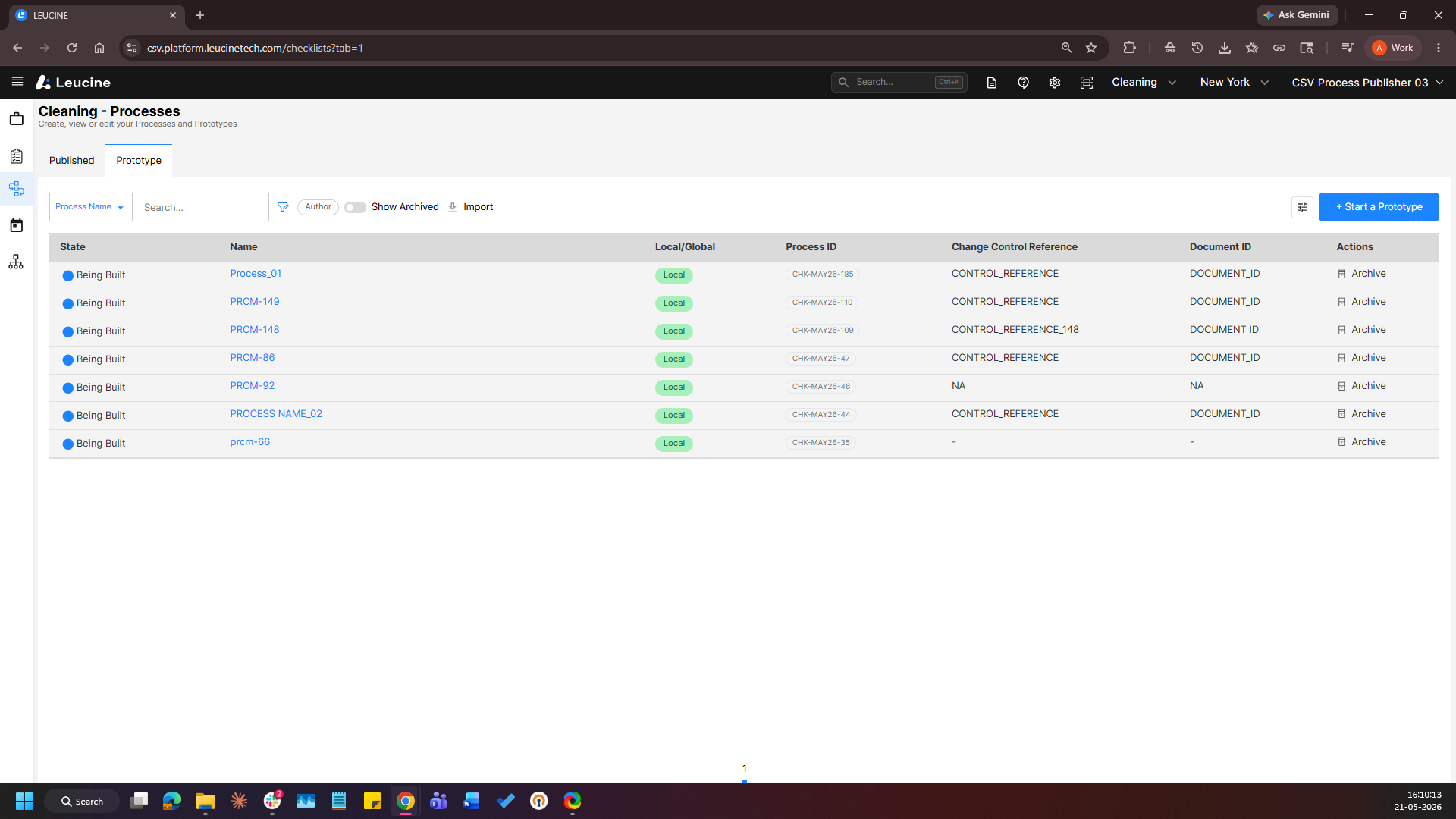
1. Navigate to the Process tab and open a prototype.
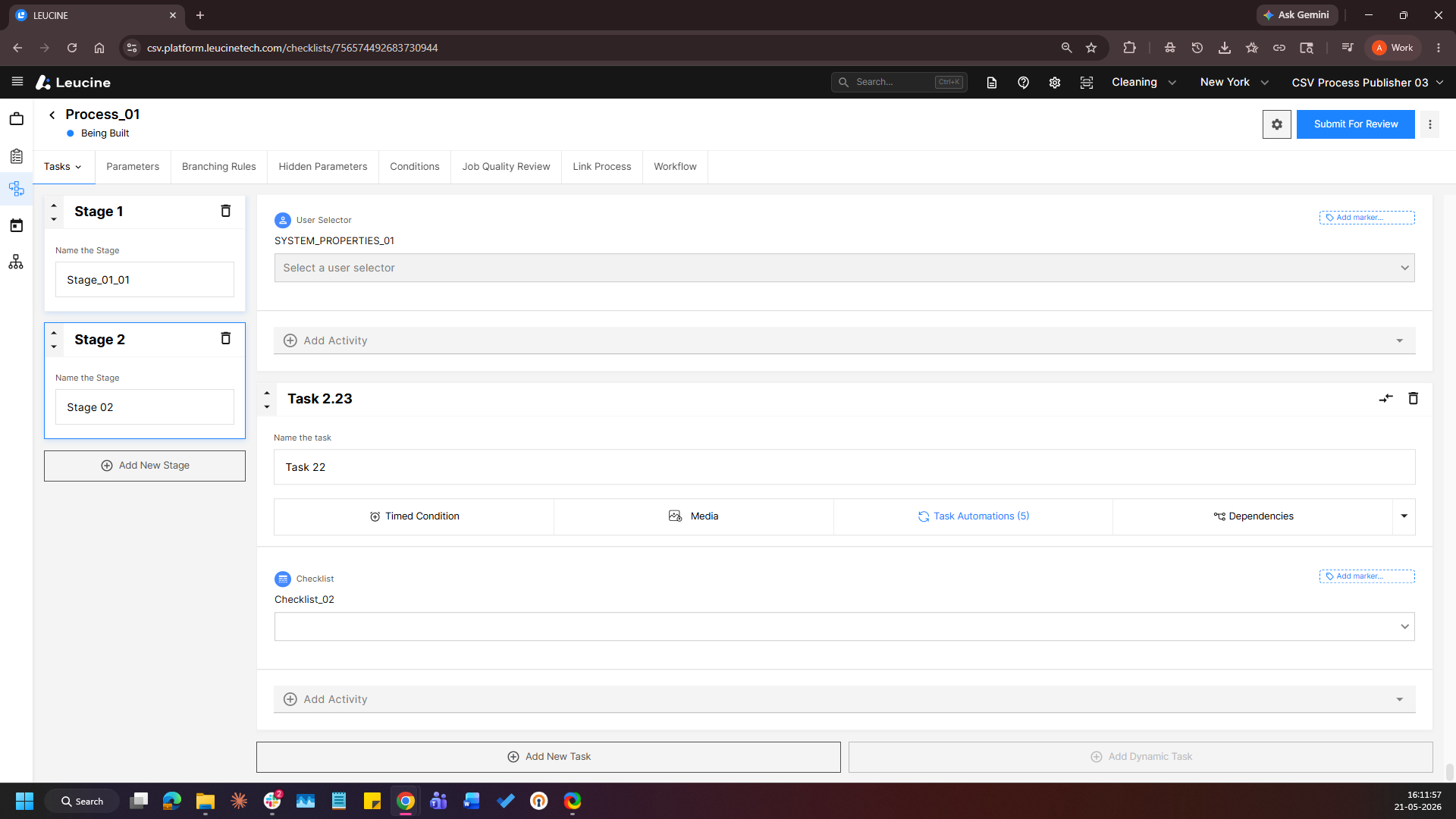
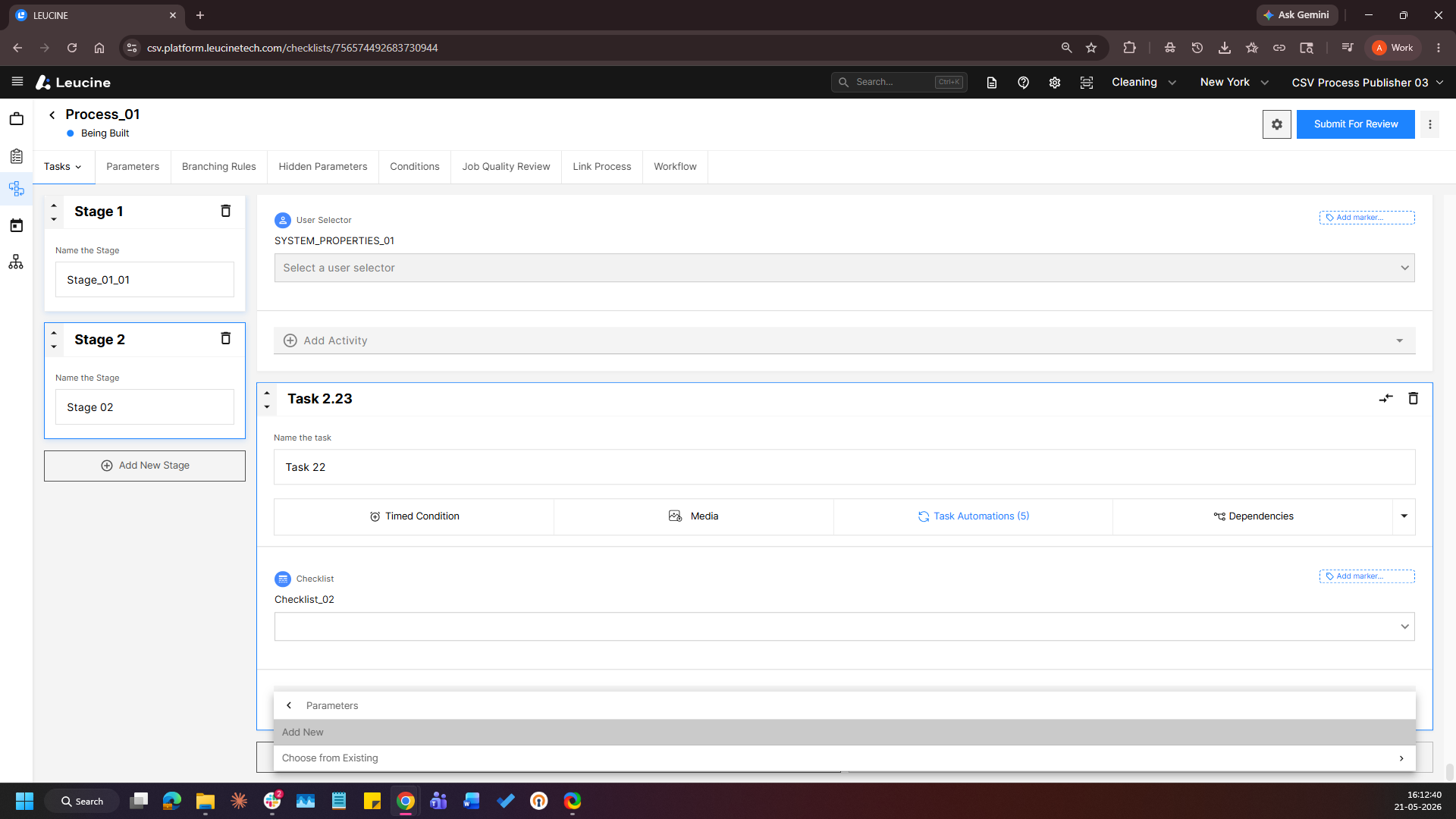
2. Navigate to a task and click Add Activity → Parameters → Add New.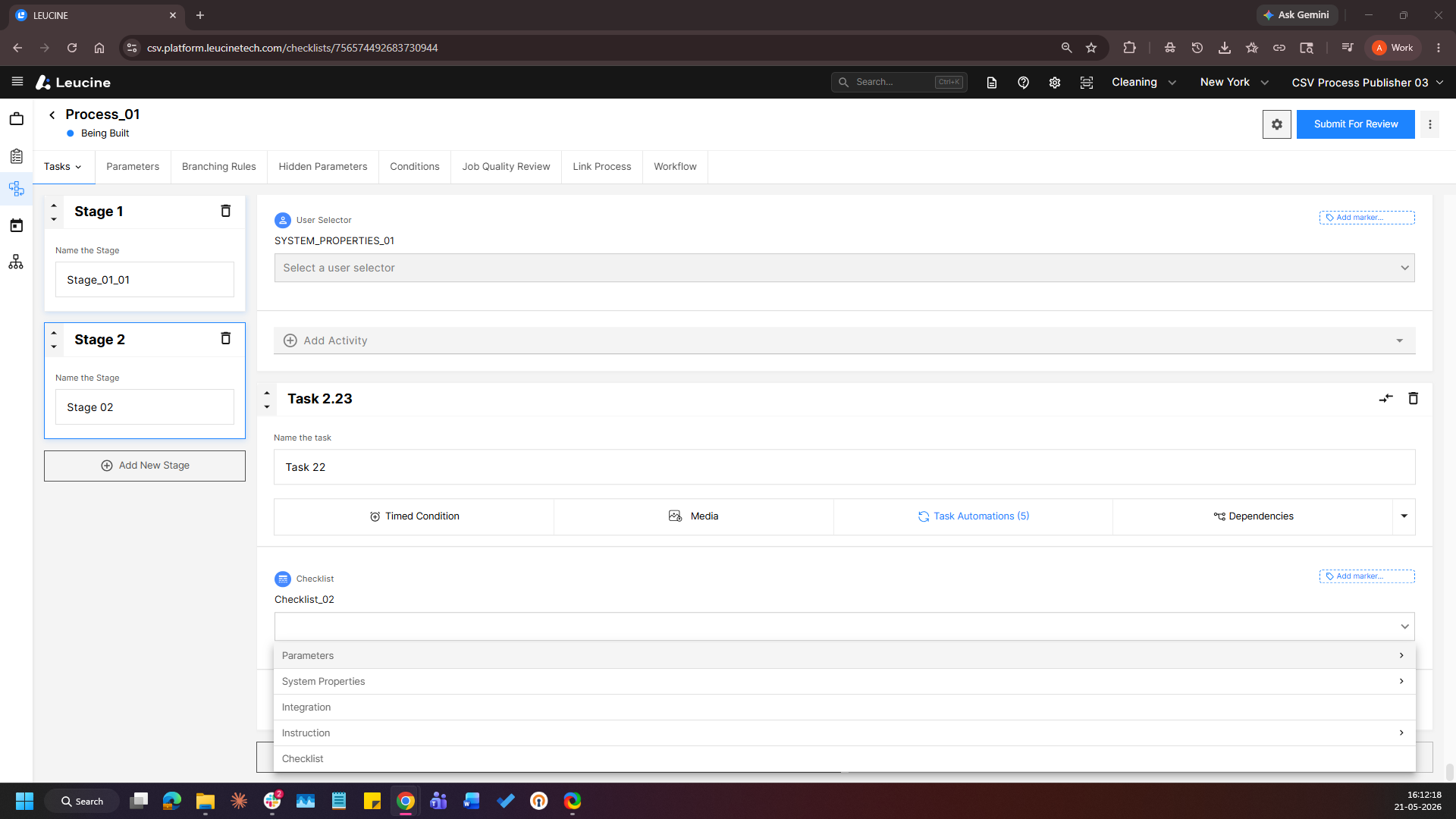
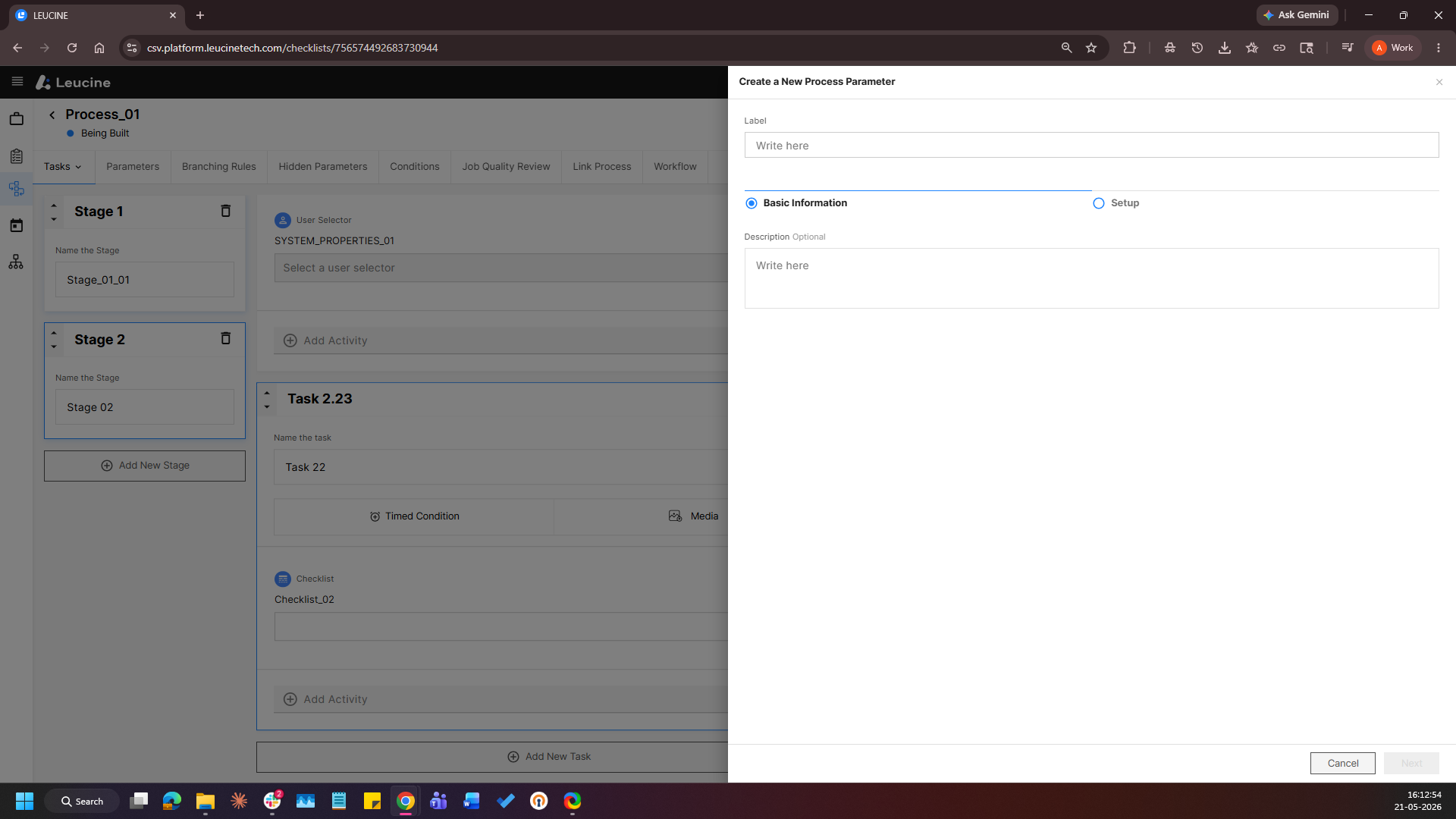
3. Provide a label, click Next and select Calculation as the Parameter Type.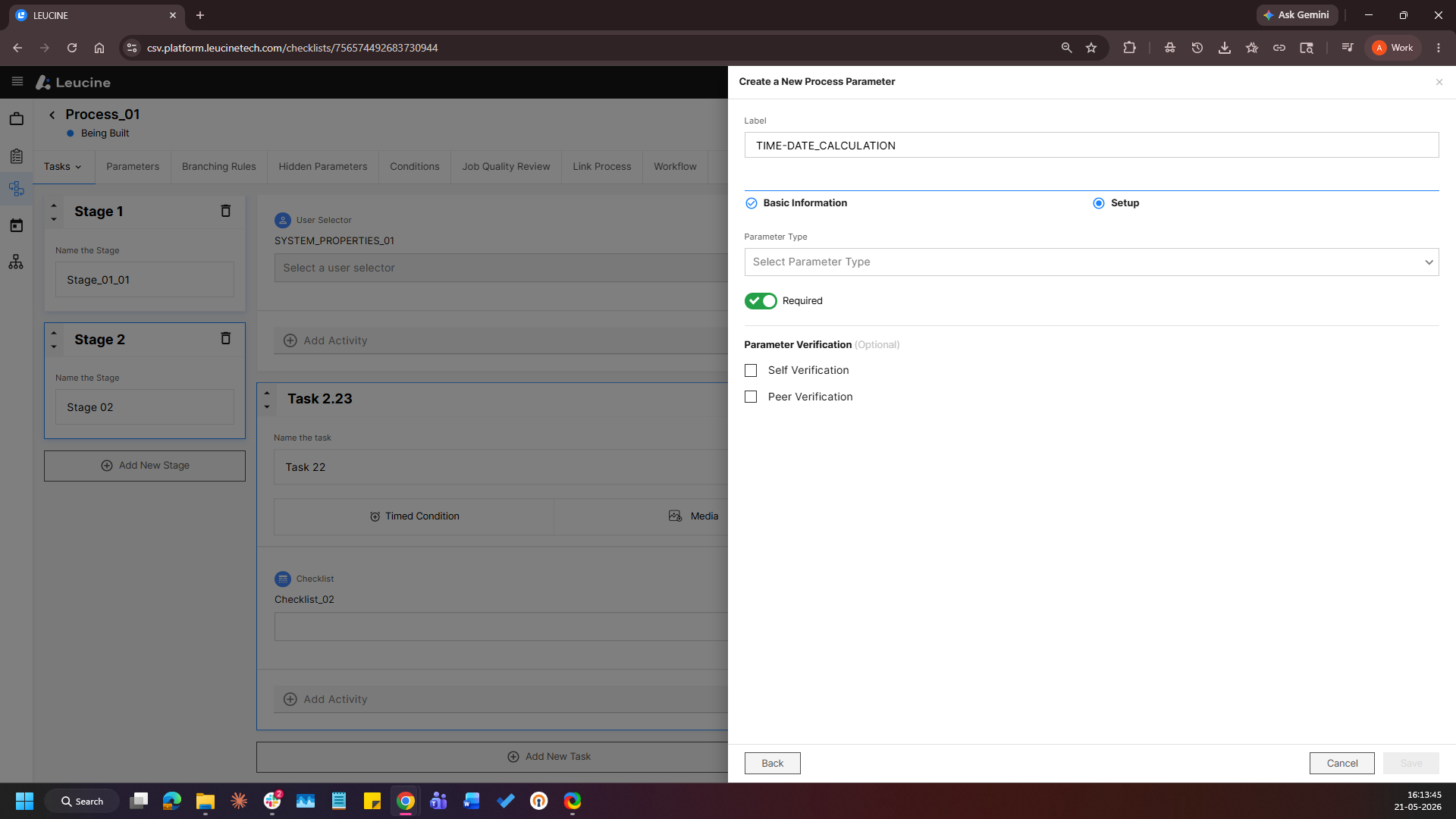
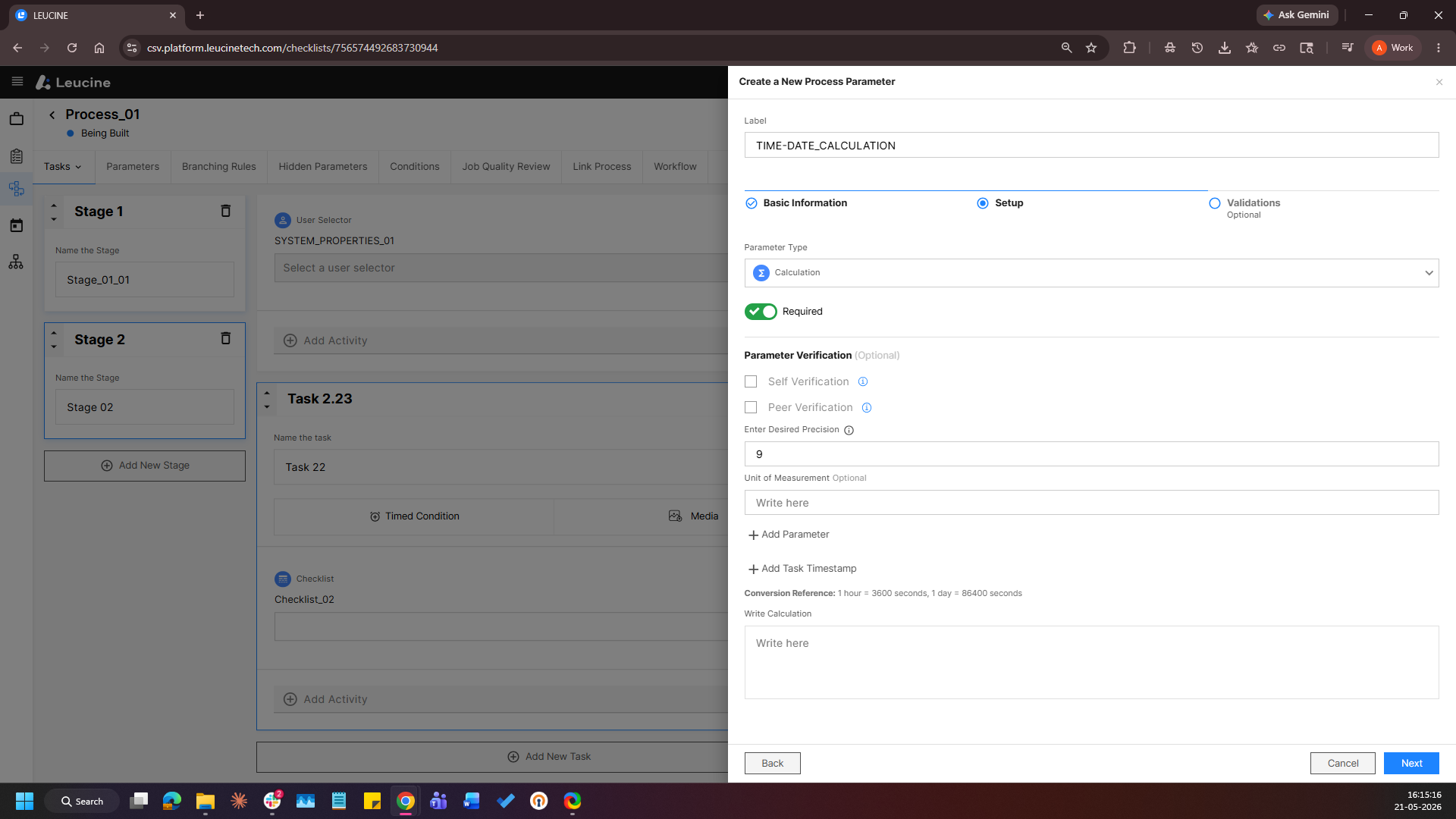
4. In the formula builder, select two Date or Date-Time parameters and configure the formula to calculate the difference or duration between them.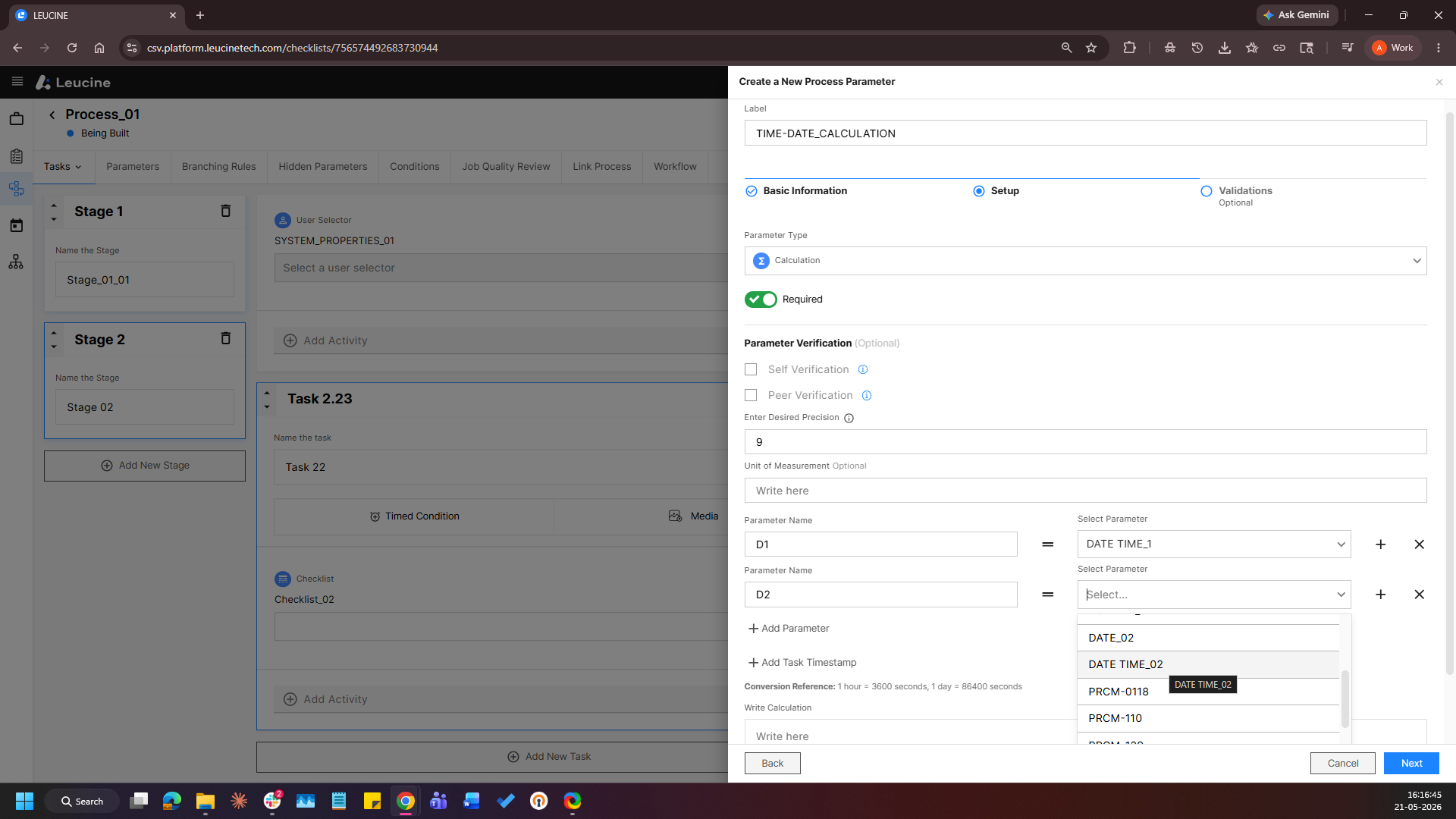
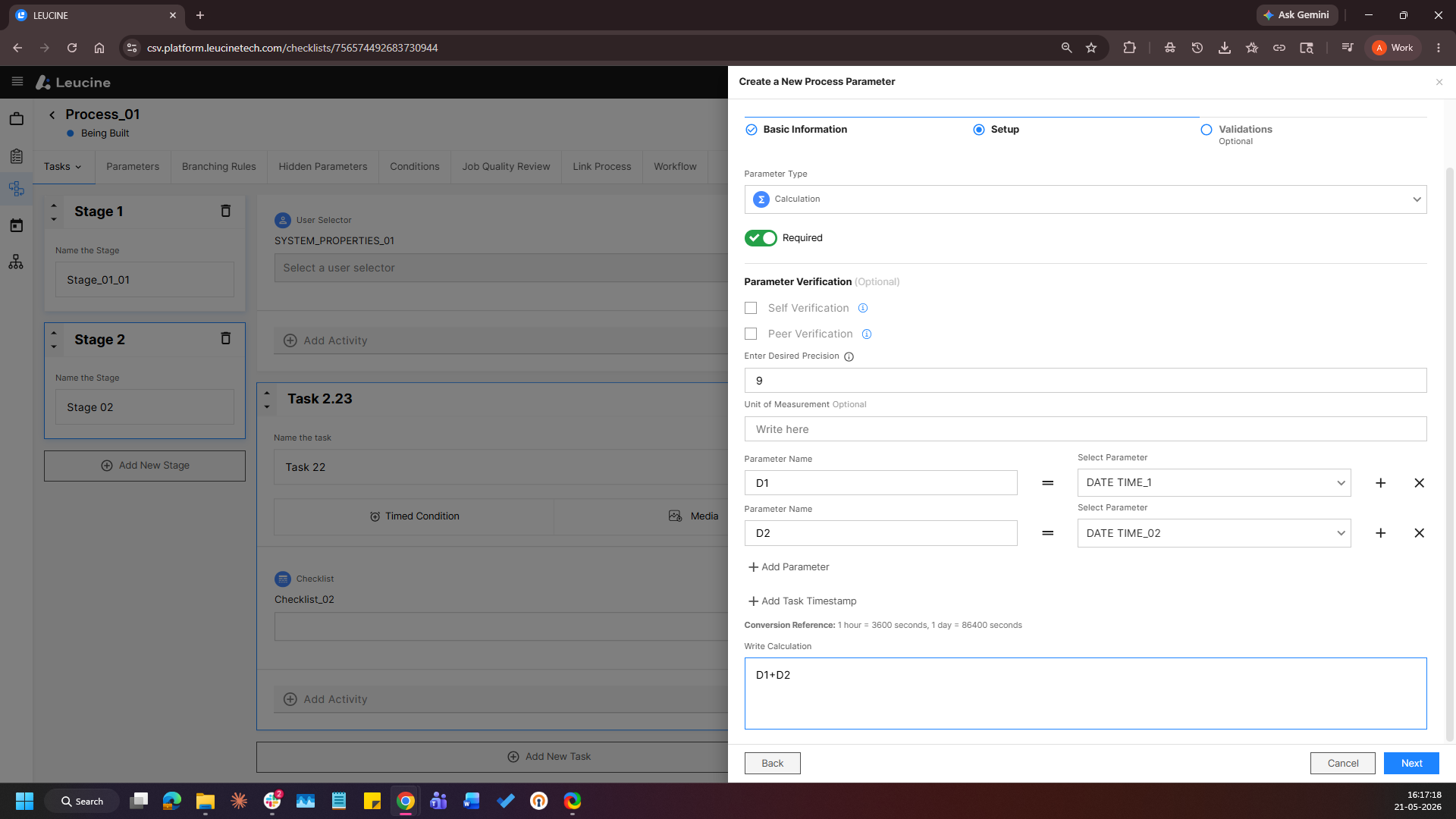
5. Click Save