![Leucine medium.png]](https://support.leucine.io/hs-fs/hubfs/Leucine%20medium.png?width=200&height=38&name=Leucine%20medium.png)
1. Navigate to the Process Prototypes tab.
2. Click and open the existing prototype.
3. Navigate to a task and click Add Activity → Parameters → Add New.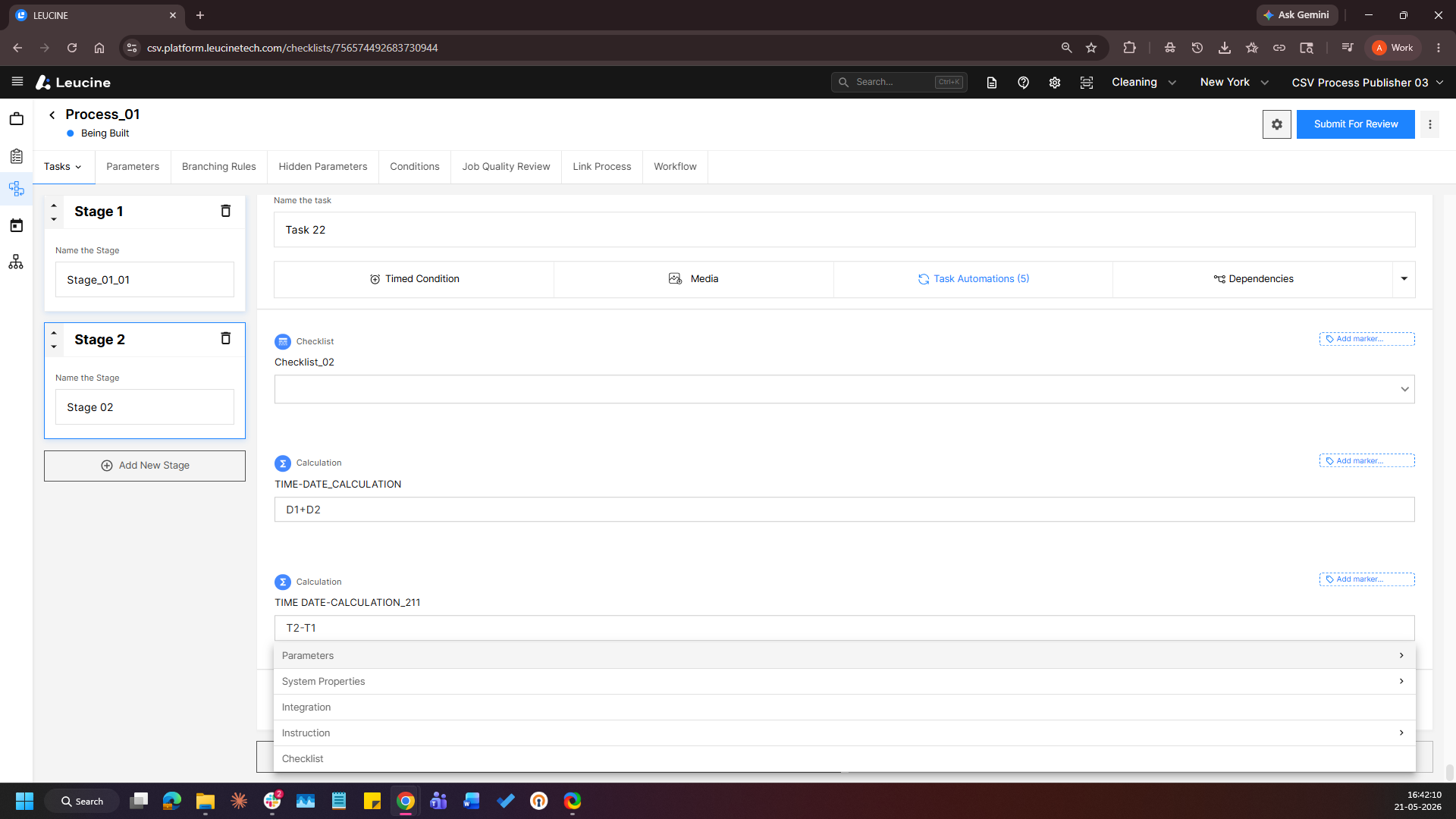
4. Provide a label, click Next and select Single Resource Selector or Multiple Resource Selector as the Parameter Type.
5. Select the relevant Object Type for the resource parameter.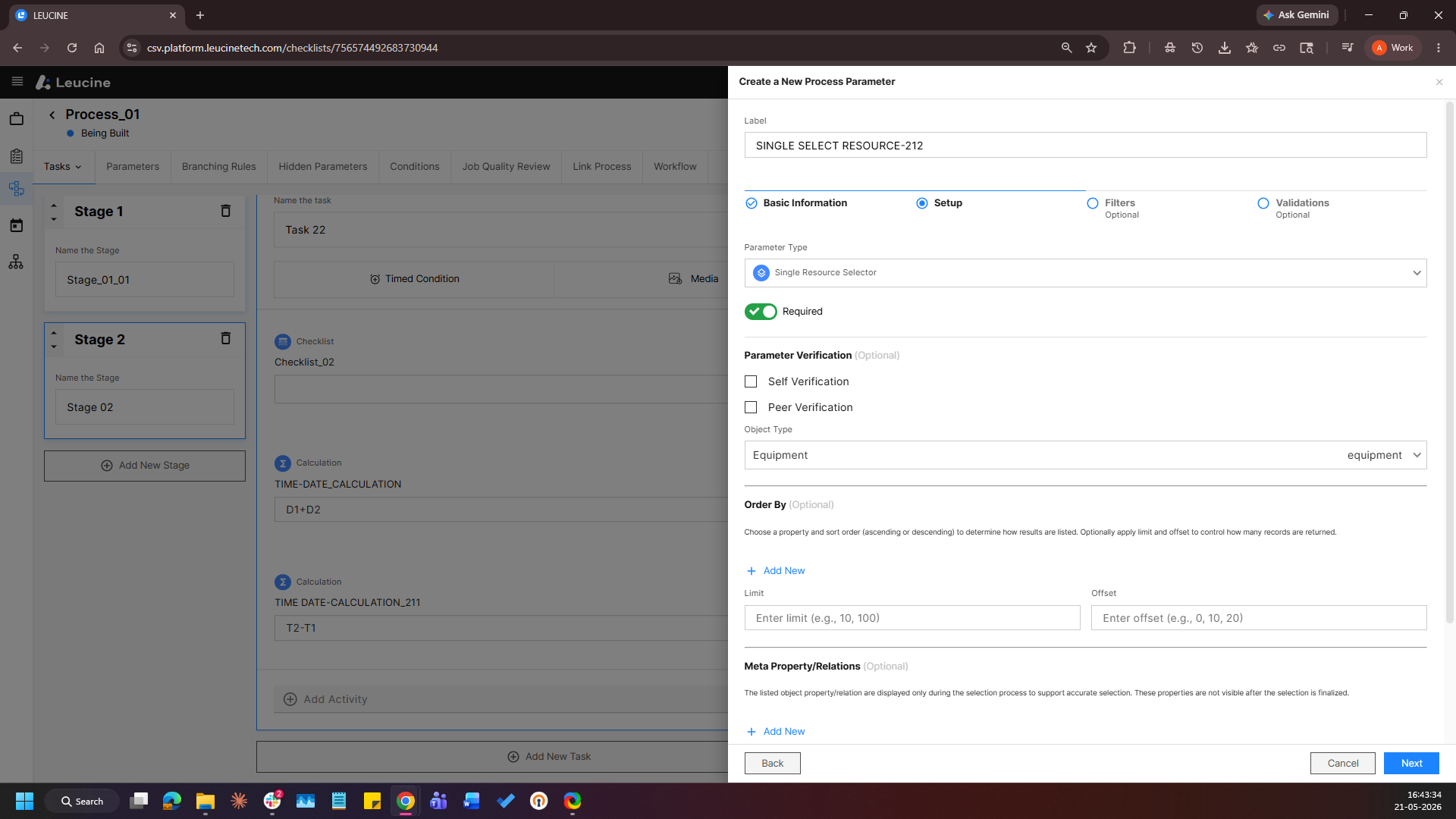
6. Scroll down to the Meta Properties/Relations section.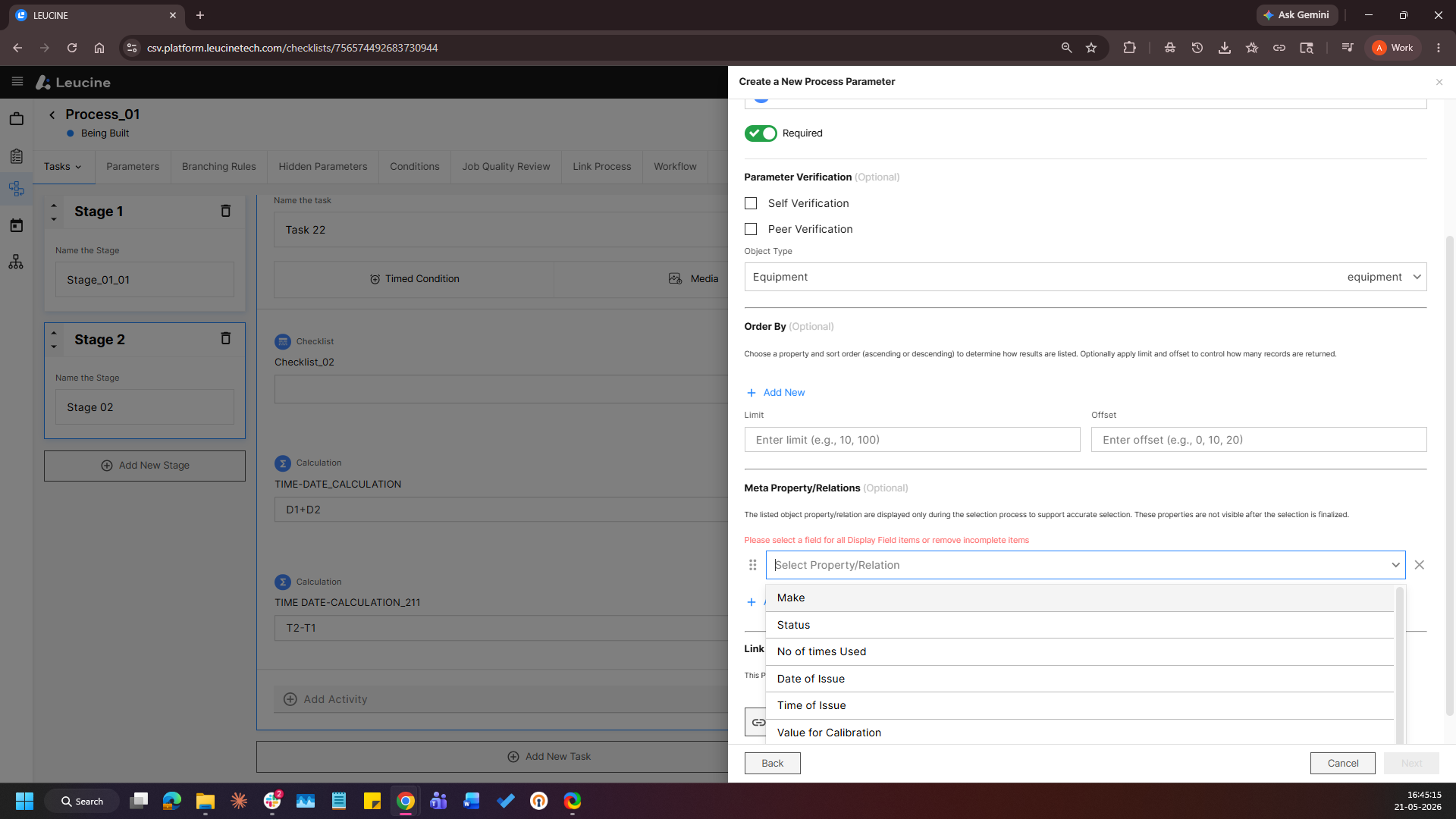
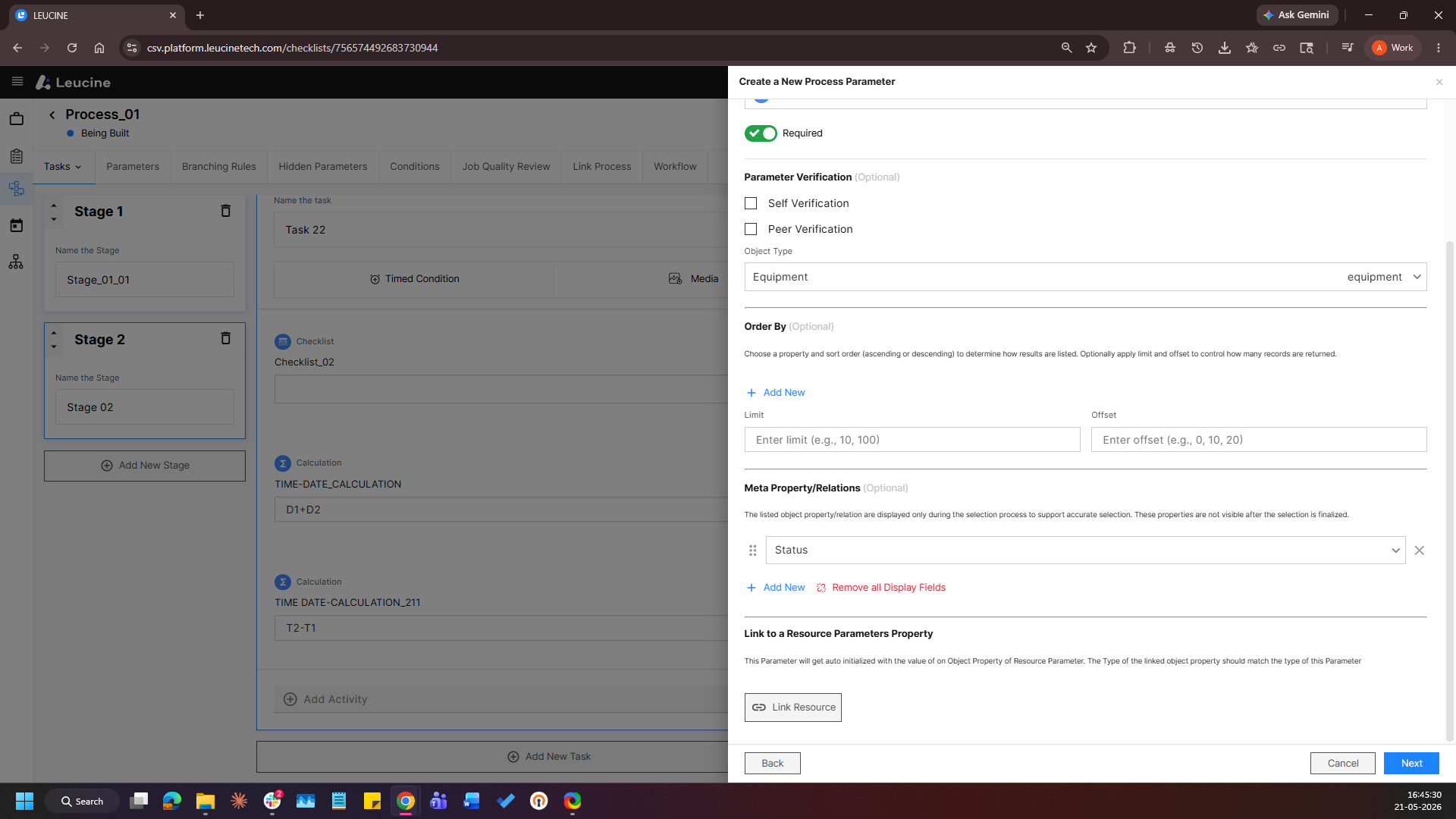
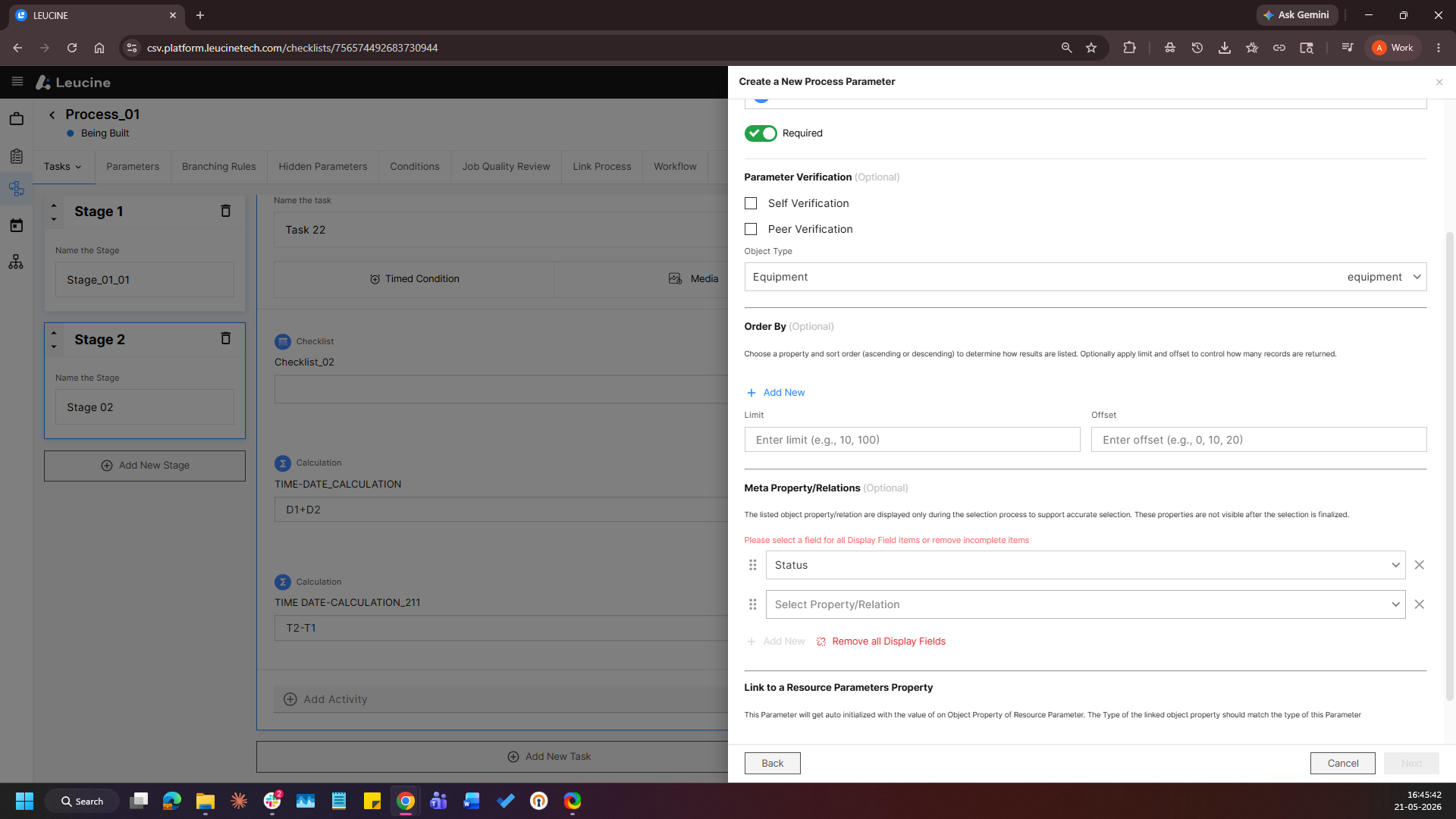
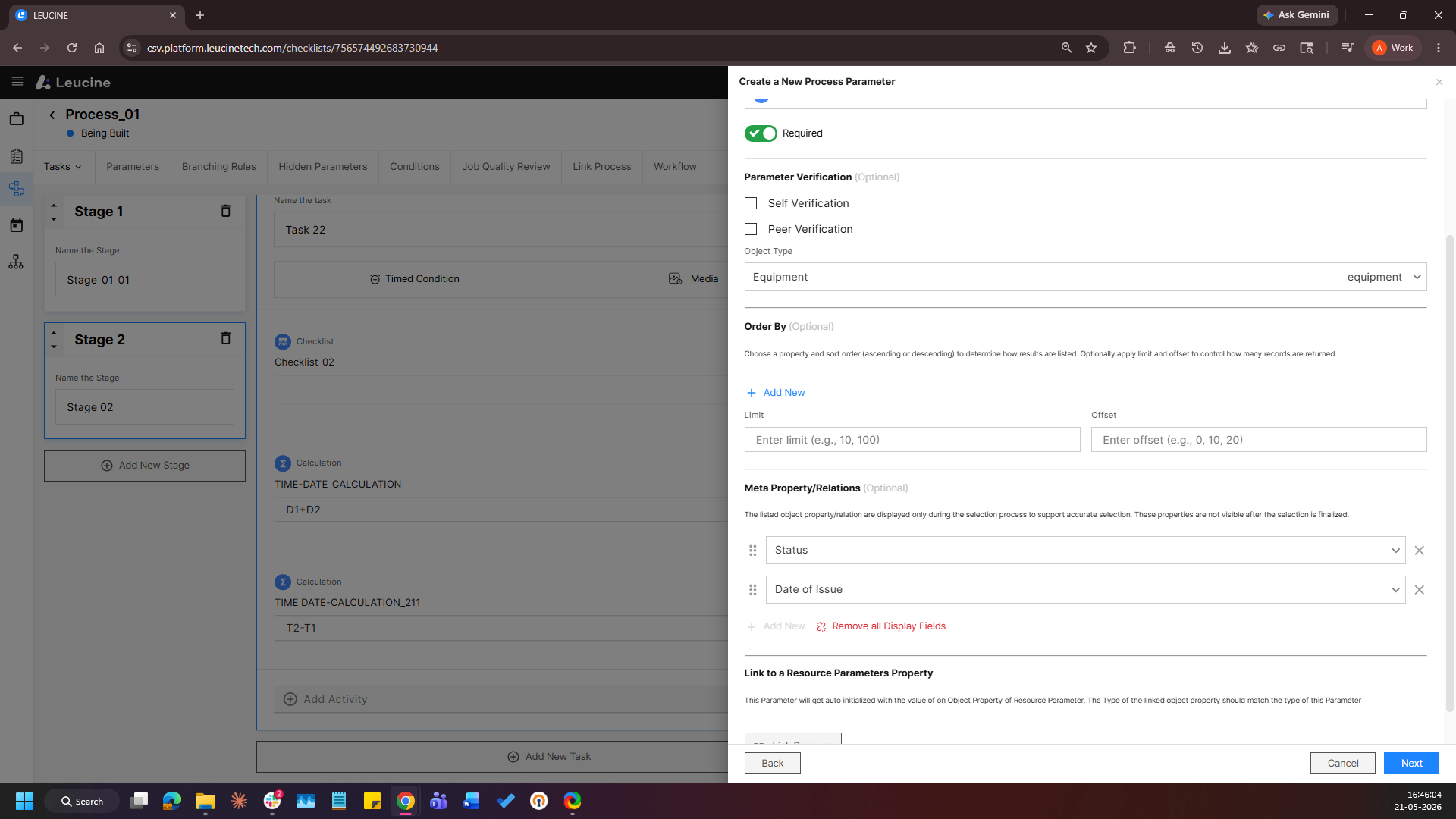
7. Select up to two properties or relations to be displayed alongside the object name.
8. Click Save.